
 Español











An unassigned ticket can easily go unnoticed. A request that stays pending for days can delay support for a user. When an IT team handles many requests, checking every ticket manually takes time away from solving problems.
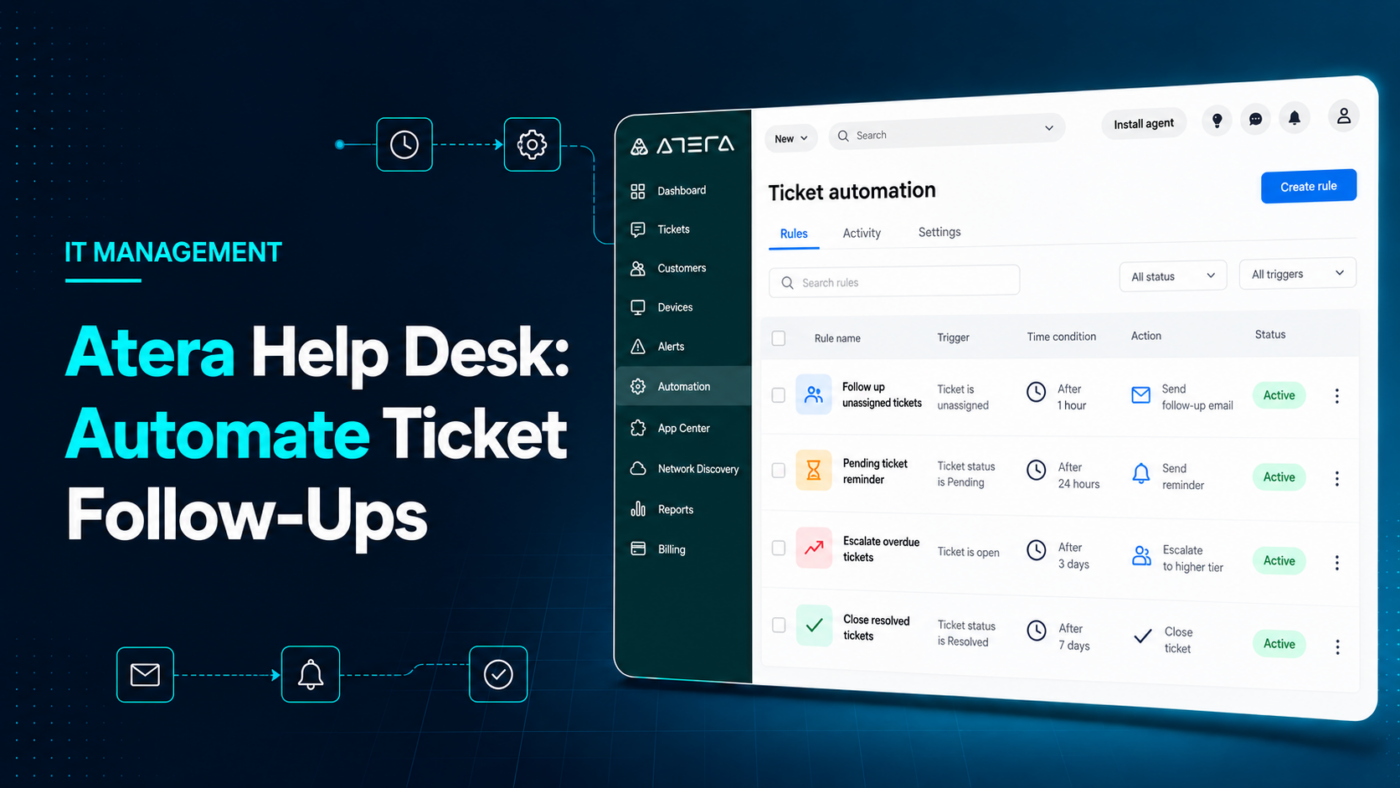
Atera ticket automation lets teams trigger actions based on the time since a ticket was created or its status changed. This helps the help desk follow up according to rules that fit its workflow.
What can time-based rules do?
Atera provides several examples:
- Assign an unassigned ticket. If a ticket still has no technician after 24 hours, a rule can send a notification and assign one.
- Follow up with a user. If a ticket has been “Pending” for 24 hours, a rule can send an email using a template.
- Escalate an open case. If a ticket remains “Open” for a week, it can be assigned to a manager.
- Close requests according to your process. Rules can change the status of tickets that have remained “Pending” or “Resolved” for a set period.
These time frames are examples, not a policy every team should adopt. Before automating ticket closure, decide when to check with the user and which cases need a person to review them. [1]
A clear process makes automation more useful
Setting up automation involves more than creating rules. Your team first needs to define what “Pending” means, who receives an escalation, and what should happen when a ticket exceeds its expected time frame.
For example, one team may need to assign incoming requests more quickly before adding follow-up emails. Another may need to review its ticket statuses to avoid closing a case while it is waiting for an internal response. Once those decisions are clear, Atera can help the team carry out its process more consistently.
Atera licensing and managed IT services from Nubetia
Nubetia can help you evaluate Atera licensing and decide how to use the platform in your help desk. Atera brings together ticketing, remote IT management, and monitoring features. If your company also needs help running its technology, Nubetia offers managed services backed by specialists. [2]
We can review your current support workflow, identify where tickets tend to stall, and propose time-based rules that make sense for your team. Each automation should address a real support need.
How many tickets in your help desk are waiting for the next step? Schedule a conversation with a Nubetia specialist to explore how Atera and our team can support your operation.
Referencias:
[1] Atera Support. Time-based ticket automation rules.[2] Nubetia. Solutions, platforms, and licensing.
